


What Is a Purchase Order?
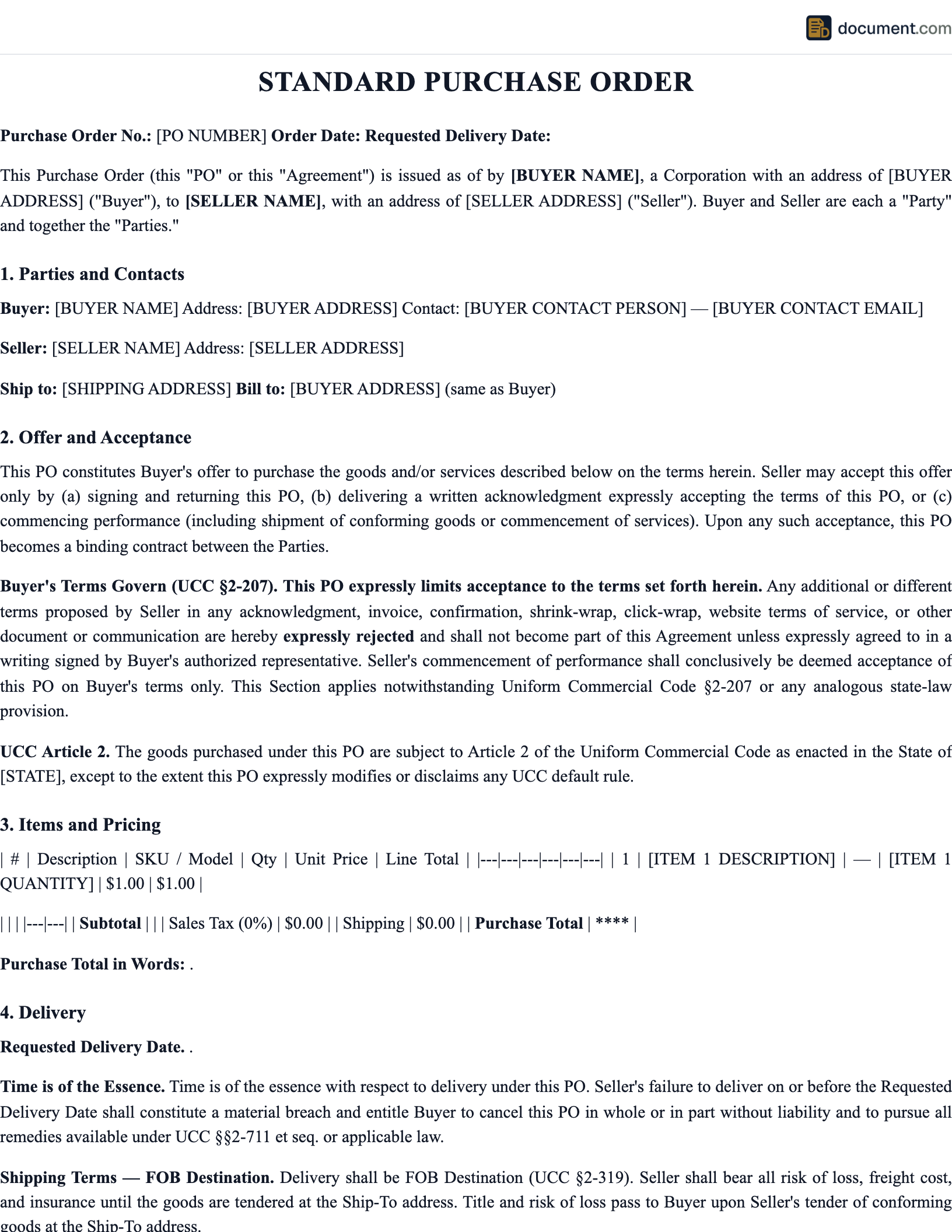
A purchase order (PO) is a formal document a buyer sends to a seller that specifies the goods or services being ordered, the quantity, the agreed price, the delivery terms, and the payment terms. It is the starting point of the procurement process and, once accepted by the seller, becomes a legally binding contract under Article 2 of the Uniform Commercial Code. Purchase orders give buyers internal spending control, give sellers a clear commitment to fulfill, and give both sides an audit-ready paper trail that ties an order, a shipment, and an invoice together.
POs are central to the procure-to-pay workflow used by most mid-sized and large businesses. The buyer issues a numbered PO after an internal approval; the seller acknowledges or ships against it; the receiving department logs what arrived; and the accounts payable team performs a three-way match between the PO, the receiving report, and the vendor invoice before releasing payment. This controls spending, prevents duplicate or unauthorized charges, and provides a clean audit trail for finance and tax purposes.
Our PO template gives you a clean, professional form with pre-built fields for vendor details, line items, tax and freight, delivery instructions, and standard terms and conditions. Whether you are placing a one-time order, setting up a blanket PO for recurring purchases, or documenting a large capital expenditure, the template keeps the language tight and the math correct.
Binding Contract
Accepted POs form an enforceable contract under the UCC
Spending Control
Formal authorization prevents unauthorized or duplicate orders
Clean Audit Trail
Ties the order, receipt, and invoice together for reliable AP matching
Purchase Order Form Preview
Below is a visual preview of the PO layout. Your final document will be fully formatted and branded with your business details.
PURCHASE ORDER
Cedar Peak Manufacturing, Inc.
1800 Industrial Blvd, Portland, OR 97230
PO #: PO-2026-0438
Date: 04/06/2026
Required by: 04/28/2026
| Item | Qty | Unit | Price | Total |
|---|---|---|---|---|
| 1/4" mild steel plate, 4x8 | 24 | sht | $148.00 | $3,552.00 |
| 2" square tube, A500 grade B | 60 | ft | $9.25 | $555.00 |
| Stainless rod, 1/2" x 6ft | 16 | ea | $22.40 | $358.40 |
Purchase Order vs Invoice
The purchase order and the invoice are often confused because they look similar and share many of the same line items, but they play opposite roles in the transaction. The PO is sent by the buyer at the start of the transaction to commit to purchase. The invoice is sent by the seller at the end of the transaction to request payment for what was delivered.
Purchase Order
- • Issued by the buyer
- • Sent before delivery
- • Creates a commitment to purchase
- • Contains PO number for tracking
- • Binding contract once accepted
Invoice
- • Issued by the seller
- • Sent after delivery
- • Requests payment
- • References the original PO number
- • Triggers the payment clock
How to Create a Purchase Order
A clean PO takes about five minutes once you know what you are ordering. Follow these steps.
- 1
Assign a unique PO number
Use a sequential or prefixed format (PO-2026-0001) that your accounting system can track.
- 2
Enter your company and vendor details
Full legal names, billing addresses, ship-to addresses, and accounts payable contact info.
- 3
Itemize the order
List each item with a clear description, SKU or part number, quantity, unit of measure, unit price, and line total.
- 4
Add tax, freight, and discounts
Include applicable sales tax, shipping terms (FOB origin or destination), and any negotiated discounts.
- 5
State payment and delivery terms
Net 30, Net 60, required delivery date, and any late-delivery or partial-shipment rules.
- 6
Attach terms and conditions
Standard boilerplate covering warranties, returns, indemnity, and dispute resolution for your industry.
- 7
Get internal approval and send
Route the PO through your approval chain, then send it to the vendor by email or EDI.
Key Components of a Purchase Order
Every PO should include the following fields. Missing information is the top cause of PO rejections and accounts payable exceptions.
PO number and date
Unique identifier and issue date
Buyer information
Business name, billing address, and AP contact
Vendor information
Business name, remit-to address, and contact
Ship-to address
Final destination and receiving dock if different from billing
Line items
Description, quantity, unit, price, and line total
Subtotal, tax, and freight
Clean math leading to the total PO amount
Payment terms
Net days, early-payment discount, and accepted methods
Delivery terms
Required date, FOB terms, and partial shipment rules
Terms and conditions
Warranty, return, indemnity, and governing law
Authorized signature
Name, title, and signature of the approving officer
Sample Purchase Order
Below is a condensed text version of a standard PO. Your finished document will be fully styled with your company branding and vendor details.
PURCHASE ORDER
[Buyer Company Name]
[Address] | [Phone] | [AP Email]
Vendor:
[Vendor Name]
[Vendor Address]
PO #: [PO-####]
Date: [MM/DD/YYYY]
Required by: [MM/DD/YYYY]
Ship To:
[Delivery Address]
Line Items:
1. [Item] — Qty [#] [unit] × [$rate] = [$amount]
2. [Item] — Qty [#] [unit] × [$rate] = [$amount]
3. [Item] — Qty [#] [unit] × [$rate] = [$amount]
Subtotal: [$amount]
Freight: [$amount]
Tax: [$amount]
PO Total: [$amount]
Terms and Conditions:
1. Payment terms: [Net 30] from invoice date.
2. Shipping terms: [FOB Destination / FOB Origin].
3. All invoices must reference this PO number.
4. Vendor warrants all goods as free from defects in material and workmanship.
5. Buyer reserves the right to reject non-conforming goods within [10] days of delivery.
6. Governing law: State of [State].
Authorized by: [Name, Title]
Frequently Asked Questions
Common questions about PO vs invoice, PO numbers, blanket POs, and the legal status of a purchase order under the UCC.
Official Resources
For more on purchase order standards, UCC rules, and procurement best practices, consult these sources.
Cornell LII - UCC Article 2
Full text of the Uniform Commercial Code article governing the sale of goods
SBA - Federal Contracting
Small Business Administration guide to federal procurement and PO processes
GSA - Buy Through Us
General Services Administration procurement schedules and PO standards
ISM - Institute for Supply Management
Professional standards for procurement, sourcing, and supplier management
NIGP - Institute for Public Procurement
Public sector procurement training and certification
IRS - Recordkeeping for Business
Federal guidance on keeping purchase records for tax and audit purposes
Create your Purchase Order in under 10 minutes.
Answer a few questions and download a compliant, attorney-drafted document ready for your state.